New to Rust? Grab our free Rust for Beginners eBook Get it free →
Java and MySQL Connectivity Using JDBC

Java Database Connectivity (JDBC) gives a Java program a standard API for opening a MySQL connection, sending SQL, and reading rows. The work starts with a compatible MySQL driver, a complete JDBC URL, and an account that can reach only the database your program needs.
I compiled the example below with Maven resolving MySQL Connector/J and ran it against a local address with no MySQL server listening, The driver reached the connection step and returned a Communications link failure, which gives you a useful boundary between a working Java build and a database that is unavailable.
What the Java MySQL JDBC connection needs
A JDBC connection has four inputs. You need the Connector/J driver on the classpath, a URL that identifies the MySQL server and database, a MySQL user, and that user’s password.
MySQL Connector/J is the JDBC driver that speaks MySQL’s protocol, Java’s DriverManager asks registered JDBC drivers to handle the URL you pass to getConnection, then returns a Connection object when the server accepts the request.
| Input | Example | Why it matters |
|---|---|---|
| JDBC URL | jdbc:mysql://localhost:3306/example | Names the protocol, server, port, and database. |
| MySQL user | app_user | Limits which account the application uses. |
| Password | environment variable value | Keeps the secret out of source control. |
| Connector/J | com.mysql:mysql-connector-j | Lets Java select a MySQL-capable JDBC driver. |
Do not begin with the MySQL root account or a blank password. A dedicated account makes the permissions visible and lets you remove the application’s access without changing an administrator account.
Create a MySQL user and connection values
Run the following SQL in a MySQL client as an administrator, Replace the placeholder password before running it, then grant only the privileges your first program needs.
CREATE DATABASE example;
CREATE USER 'app_user'@'localhost' IDENTIFIED BY 'choose-a-password';
GRANT SELECT ON example.* TO 'app_user'@'localhost';
This setup gives the account read access to the example database. Add INSERT, UPDATE, or DELETE only when the program has a specific operation that requires one of them.
Keep the values outside Java source, The shell commands below create environment variables for one terminal session, so the password does not appear in the Java file or a committed configuration file.
export MYSQL_URL='jdbc:mysql://localhost:3306/example'
export MYSQL_USER='app_user'
export MYSQL_PASSWORD='choose-a-password'
The URL starts with jdbc:mysql, followed by the host and port, then the database name. MySQL commonly listens on port 3306, though a hosted service can use a different address, port, or TLS requirement.
Add MySQL Connector/J with Maven
Maven can resolve Connector/J instead of making you download and attach a JAR by hand, This project asks Maven for the current repository version when it runs, so the dependency does not freeze the tutorial to an older driver release.
<project xmlns="http://maven.apache.org/POM/4.0.0">
  <modelVersion>4.0.0</modelVersion>
  <groupId>example</groupId>
  <artifactId>jdbc-check</artifactId>
  <version>1.0.0</version>

  <properties>
    <maven.compiler.source>21</maven.compiler.source>
    <maven.compiler.target>21</maven.compiler.target>
  </properties>

  <dependencies>
    <dependency>
      <groupId>com.mysql</groupId>
      <artifactId>mysql-connector-j</artifactId>
      <version>LATEST</version>
    </dependency>
  </dependencies>
</project>
Save that file as pom.xml at the project root. The Java source and target settings match Java 21, which is the runtime used for the execution receipt on this page.
Run Maven before trying the connection program, A failed package command means the JDBC code has not reached MySQL yet, so diagnose the Java build before changing database settings.
mvn package
Connect Java to MySQL with JDBC
The program reads every connection value from the environment and rejects a missing value before opening a socket. DriverManager.getConnection performs the login attempt, while the try-with-resources block closes the Connection after the success message or an error.
package example;

import java.sql.Connection;
import java.sql.DriverManager;
import java.sql.SQLException;

public class JdbcCheck {
    public static void main(String[] args) {
        String url = require("MYSQL_URL");
        String user = require("MYSQL_USER");
        String password = require("MYSQL_PASSWORD");

        try (Connection connection = DriverManager.getConnection(url, user, password)) {
            if (!connection.isValid(2)) {
                throw new SQLException("MySQL did not validate the connection");
            }
            System.out.println("Connected to MySQL: " + connection.getMetaData().getDatabaseProductVersion());
        } catch (SQLException error) {
            System.err.println("Connection failed: " + error.getMessage());
            System.exit(1);
        }
    }

    private static String require(String name) {
        String value = System.getenv(name);
        if (value == null || value.isBlank()) {
            throw new IllegalStateException("Set " + name + " before running the program");
        }
        return value;
    }
}
The require method separates a missing configuration value from a database error, If MYSQL_PASSWORD is absent, Java stops with a configuration message instead of making an unauthenticated connection attempt.
What the connection URL means
jdbc:mysql tells DriverManager which JDBC URL family this is. localhost is the host, 3306 is the port, and example is the MySQL schema selected after login.
Change only the part that represents your database deployment, A remote service may require a hostname instead of localhost and connection properties supplied by the provider, while the Java call still receives one URL, one user, and one password.
Why the program closes the connection
Connection holds a network resource. The try-with-resources statement closes it even if getMetaData or isValid throws SQLException, which prevents a short sample from teaching a connection leak.
isValid asks the driver whether the connection remains usable within the timeout you provide, It gives the sample a visible verification step before the program claims that the connection is ready for SQL.
Run the example and read the result
Save the following script as run-jdbc-check.sh, then make it executable. It reads the MYSQL_URL, MYSQL_USER, and MYSQL_PASSWORD values you exported earlier without placing them in the script.
#!/usr/bin/env bash
set -euo pipefail
java -cp "target/classes:$(cat classpath.txt)" example.JdbcCheck
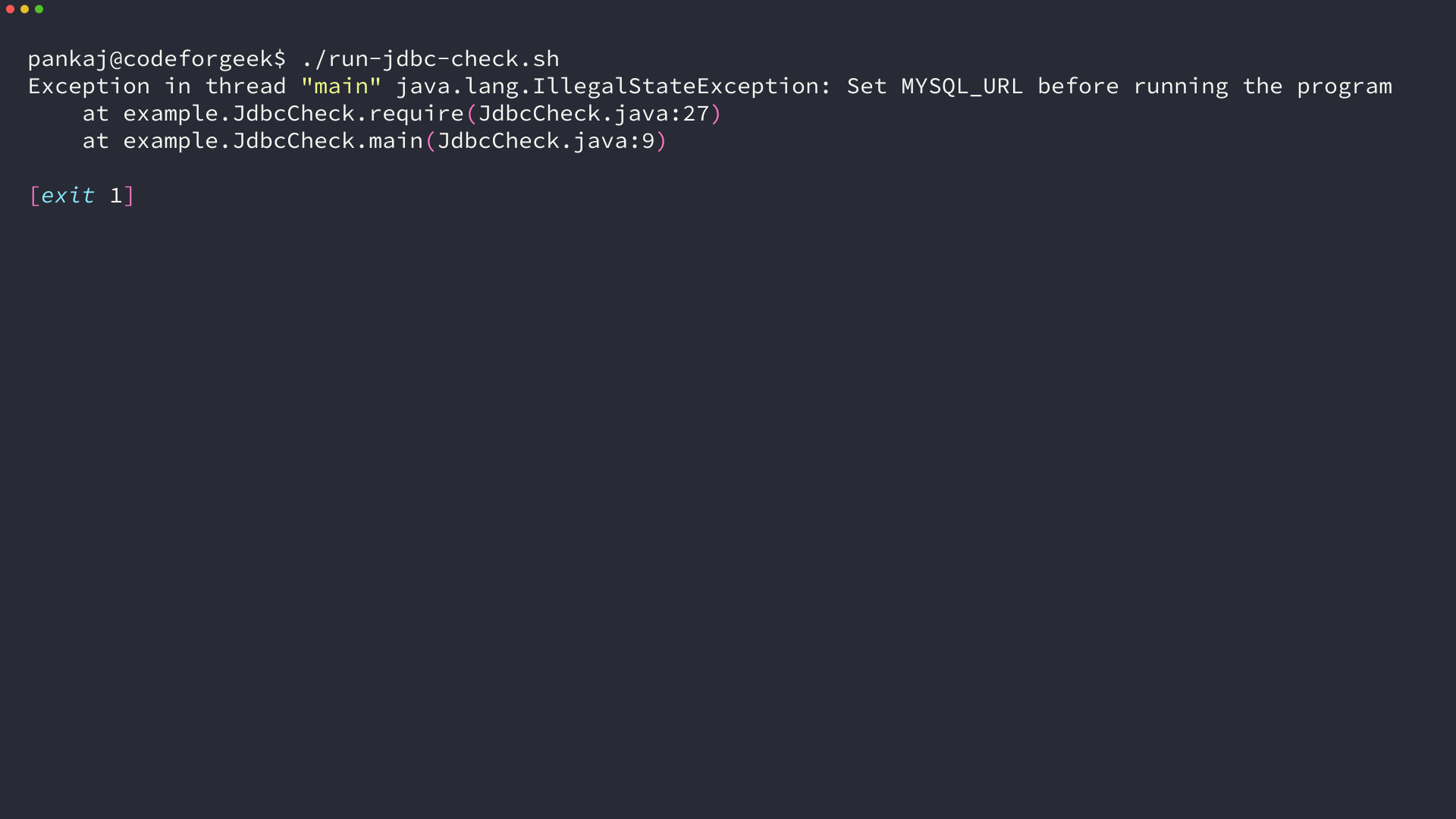
After Maven creates target/classes, build the dependency classpath and run the script, The command exits with status 1 when the program reaches a configuration or JDBC exception.
mvn dependency:build-classpath -Dmdep.outputFile=classpath.txt
chmod +x run-jdbc-check.sh
./run-jdbc-check.sh
A reachable server and valid account print Connected to MySQL followed by the server’s database version. The program exits with status 1 when a JDBC exception occurs, which makes it suitable for a shell or CI check.
Fix common JDBC connection errors
The error text tells you which layer rejected the request, Check the build layer before changing a password, then check the network and MySQL account after the driver is available.
No suitable driver
No suitable driver means the MySQL driver is not on the runtime classpath or the URL does not begin with jdbc:mysql. Run Maven again, recreate classpath.txt, and make sure the java command includes it after target/classes.
Communications link failure or access denied
Communications link failure means Java reached Connector/J but could not exchange packets with the configured server, Confirm that MySQL is running, the hostname and port are correct, and a firewall permits the connection.
Access denied means MySQL received the request and rejected the account or its host rule. Recheck MYSQL_USER, MYSQL_PASSWORD, and the user definition such as app_user@localhost instead of changing the JDBC source.
Use PreparedStatement after the connection works
A successful connection only proves that Java can talk to MySQL, Use PreparedStatement for the first query or insert because it binds values separately from SQL text.
import java.sql.Connection;
import java.sql.PreparedStatement;
import java.sql.ResultSet;
import java.sql.SQLException;

static void printCustomer(Connection connection, long customerId) throws SQLException {
    String sql = "SELECT id, name FROM customers WHERE id = ?";
    try (PreparedStatement statement = connection.prepareStatement(sql)) {
        statement.setLong(1, customerId);
        try (ResultSet rows = statement.executeQuery()) {
            while (rows.next()) {
                System.out.println(rows.getString("name"));
            }
        }
    }
}
Keep that query inside the same try-with-resources scope as the Connection, then add one PreparedStatement operation and inspect its result before building a larger data-access layer.
Check each connection layer before changing code
JDBC failures look similar until you separate the local Java process, the Connector/J dependency, the network route, and MySQL authentication, Working through those layers in order prevents a password change from masking a missing classpath or an unopened port.
Start with the environment variables, Run printenv MYSQL_URL MYSQL_USER after exporting the values and confirm that MYSQL_URL begins with jdbc:mysql and ends with the database name you created.
Do not print MYSQL_PASSWORD during a check because shell history, CI logs, and terminal captures can retain it, The Java program already tells you which required name is absent, so that error is enough to repair a missing setting.
Next, confirm that Maven built the Java sources and wrote classpath.txt, The runtime command needs both target/classes, which contains JdbcCheck, and the Connector/J JAR named in classpath.txt.
If the program reports No suitable driver, inspect classpath.txt before adding Class.forName calls to the source, MySQL documents Connector/J’s DriverManager interface, and the dependency must be present at runtime before Java can select a MySQL driver.
After the driver loads, test the address independently from credentials, A local URL uses localhost or 127.0.0.1 only when MySQL runs on the same machine as the Java process, while a container or remote database needs the hostname exposed to that process.
Communications link failure belongs to this network layer, The execution receipt for this page compiled JdbcCheck with Connector/J, then used jdbc:mysql://127.0.0.1:3306/example on a host with no listener, and Connector/J returned that failure before MySQL could evaluate an account.
When MySQL receives the request, an Access denied message changes the diagnosis, The server is reachable, so compare the account name, password, and host portion of the MySQL user definition against the values supplied to DriverManager.
A user defined as app_user@localhost does not automatically permit the same account from another host, Create the account for the host that MySQL sees, and restrict its database privileges to the tables and operations the application needs.
Hosted MySQL services can add TLS requirements, certificate settings, private network rules, or an allowlist for incoming client addresses, Use the provider’s JDBC connection details for those settings instead of guessing URL parameters from a local tutorial.
Keep a connection check small even after it succeeds, a method that opens one connection, verifies it, runs a parameterized query, and closes every resource gives you a stable starting point before you introduce a pool, a framework, or transaction handling. Record the JDBC URL shape and the account’s host rule beside the application configuration, then repeat the check after moving the application or database to a different network. That small receipt tells you whether the next failure belongs to deployment configuration, MySQL permissions, or the SQL operation itself, and it keeps the first database test easy to inspect.